Under-desk cable trays with access
A cable tray should make connections easier to reach while keeping loose leads away from feet and chair wheels. Hiding every plug tightly beneath the desk is not useful if ordinary disconnection becomes a struggle.
Lay out the equipment before the tray
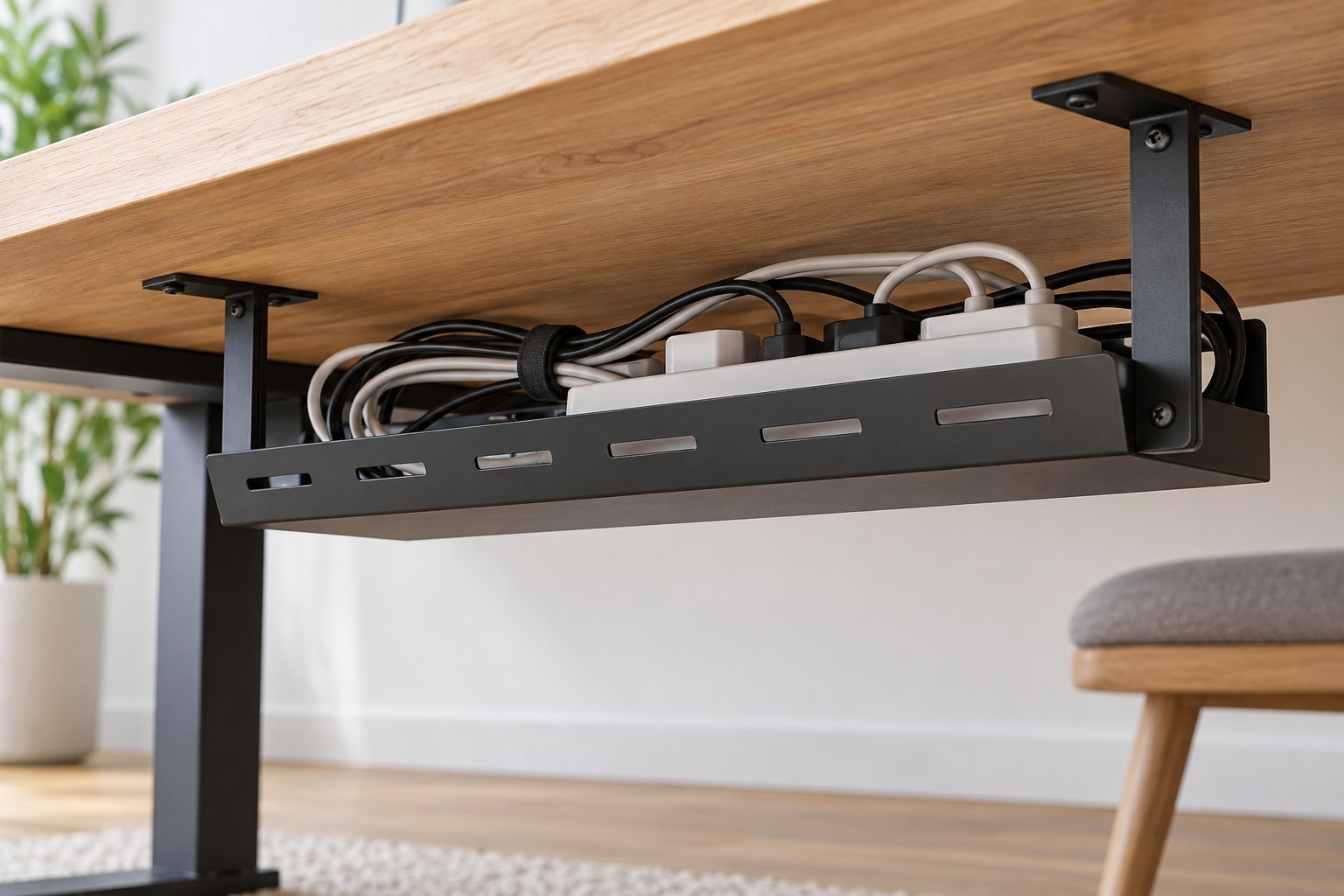
List the adapters, leads and any power strip you intend to support. Check whether their manufacturers allow the proposed placement and ventilation. Measure the actual bodies and connector clearance rather than only the length of loose cable. A tray with enough volume may still have an opening too small to reach a plug or operate a switch.
Separate leads that stay connected from those removed daily. A laptop charging cable needs an accessible route to the desktop; a permanent monitor lead may stay behind. Leave a modest service loop at devices so they can move for cleaning without pulling on their sockets. Do not pack adapters into a tight bundle simply to achieve a hidden appearance.
Match the mounting to the desktop
Read the tray's load limit and approved mounting method. Screw-mounted and clamped trays require different checks on desktop thickness, construction and edge clearance. A hollow or thin panel may not accept the same fixings as solid material. Use the furniture and tray instructions rather than choosing a screw length by guesswork.
Check the underside for crossbars, drawers and the path of any height-adjustment mechanism. Position a paper outline of the tray before drilling or clamping. Sit at the desk and move your legs normally. Cable storage should not occupy the space needed to pull the chair close or change leg position.
Preserve access after installation
Try reaching the intended power control and removing each regularly used connector. An open basket can be easier to inspect; a covered tray may look neater but needs a convenient way to open. If the tray drops down, check its loaded movement and ensure the contents cannot fall out during access.
For a height-adjustable desk, follow the full permitted travel with the cables arranged safely and enough slack. The connection to a wall outlet needs particular attention because one end stays fixed while the desk moves. Use the desk manufacturer's cable-management guidance and stop if any lead becomes tight, trapped or dragged across a moving part.
Label before the cables disappear
Identify the destination of similar leads at accessible ends. Keep ventilation openings and original rating labels readable. Photograph the finished arrangement so a future device change does not require tracing every cable again. Inspect the tray during ordinary cleaning and remove unused leads rather than storing them there indefinitely. The useful result is an organized, serviceable connection area beneath the desk.