Cable labels for mixed chargers
Useful cable labels answer a question at the moment a lead is unplugged. They should identify the device or destination without covering the information needed to check electrical and data compatibility.
Decide what needs identifying
Start at the place where confusion occurs. Behind a desk, the destination may matter most: 'desk lamp' or 'monitor power.' In a drawer of loose leads, connector type and a verified capability can be more useful. Do not add a guessed charging rating because two cables look alike. Use the original markings or the manufacturer's specification for the exact cable.
Separate the cable from the power adapter in your labeling plan. A lead and a charger may be used together today but have different limits. USB-IF's cable guidance distinguishes power and data markings, illustrating why one vague label such as 'fast' is not enough. Keep the manufacturer's printed rating readable on the adapter and the cable where present.
Choose a label that fits the location
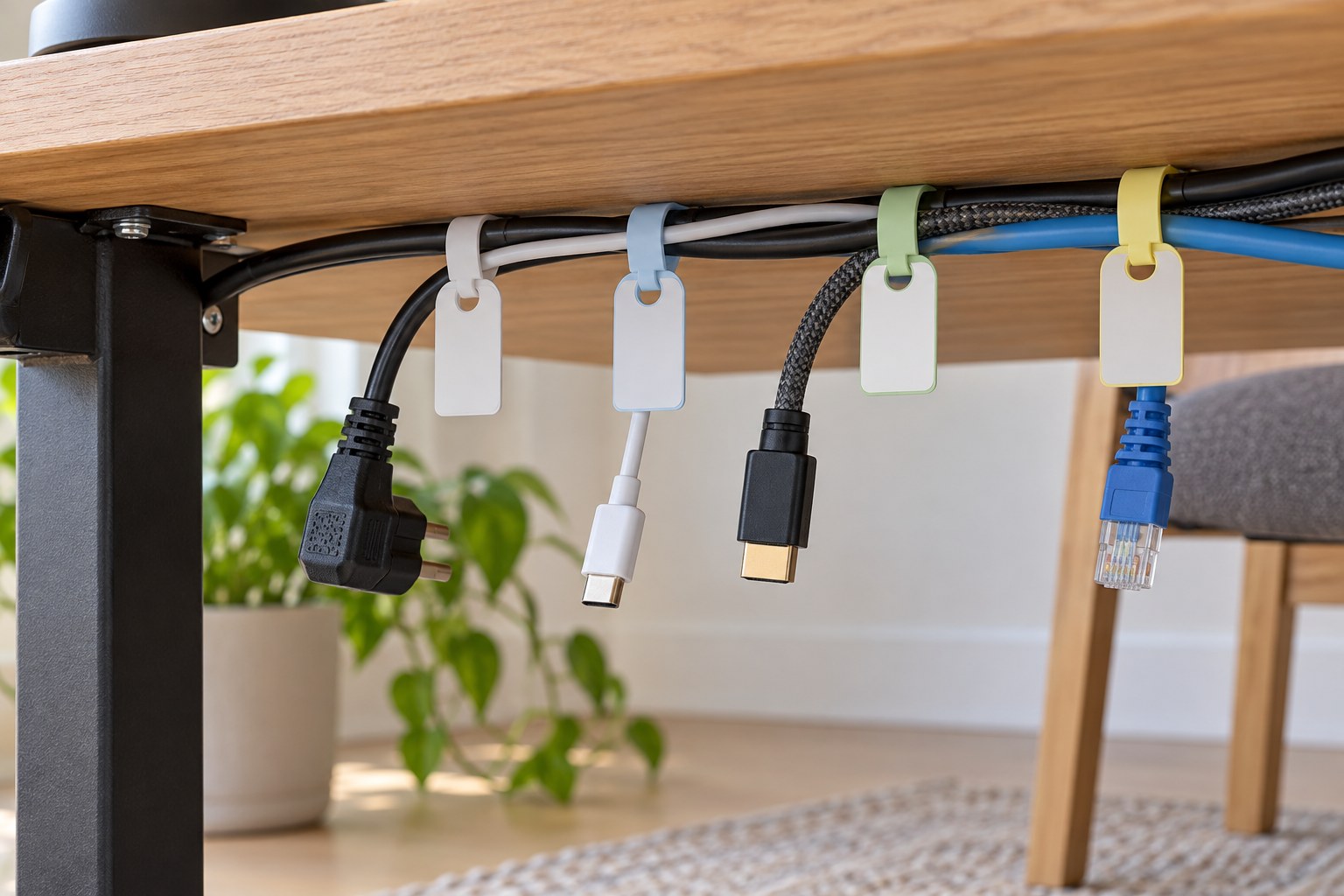
A small flag gives space for words but may catch when a cable passes through a narrow opening. A wraparound label stays close to the jacket, yet small writing can be difficult to read behind furniture. Reusable tags suit changing setups. Compare the closed size and attachment method with the actual cable diameter, not just the label's flat dimensions.
Place labels near the ends where you can read them without moving the whole desk, while leaving connector grips and release tabs clear. Avoid covering ventilation openings or wrapping a power adapter in labels. Use a method intended for the surface and do not tighten a tag enough to distort the cable jacket.
Keep the language short and consistent
Use the same name at both ends of a permanent lead. If a device has several connections, include the role: 'display data' and 'display power' are less ambiguous than two labels saying 'monitor.' Color can support the words, but it should not be the only distinction. Similar colors are hard to separate in a dark cabinet.
Photograph the final connection arrangement and keep an editable note if the setup is complicated. When equipment changes, remove or replace the old label immediately. An outdated label is worse than an unmarked lead because it encourages a confident mistake. Avoid putting private account details or passwords on tags that visitors can see.
Test a few labels before buying a large roll. Read them from your ordinary working position, disconnect and reconnect the cable, and check whether the writing smears during normal handling. The simplest system that survives these actions is usually enough; a small household desk rarely needs a complicated numbering scheme with a separate lookup sheet.